mirror of
https://github.com/farcasclaudiu/Flowise.git
synced 2026-06-23 07:00:24 +03:00
 Jared Tracy
6de1e8acec
Jared Tracy
6de1e8acec
also sets time window to beginning of the date or end of the date. This will be helpful with the timezone gap between the server (usually UTC) and the client (localized timezone)

Ideal date solution to consider for the future would be to adjust the timestamp query based upon the server timezone setup. This becomes particularly helpful when the client is filtering by the end date but they are in a timezone behind UTC after the UTC has advanced to the next date. For example, being in Pacific time and querying for the current date after 4PM will result in not finding records that have been created after 4PM Pacific b/c the server timestamp (in UTC) will be the next calendar date.
Flowise - Low-Code LLM apps builder
English | 中文
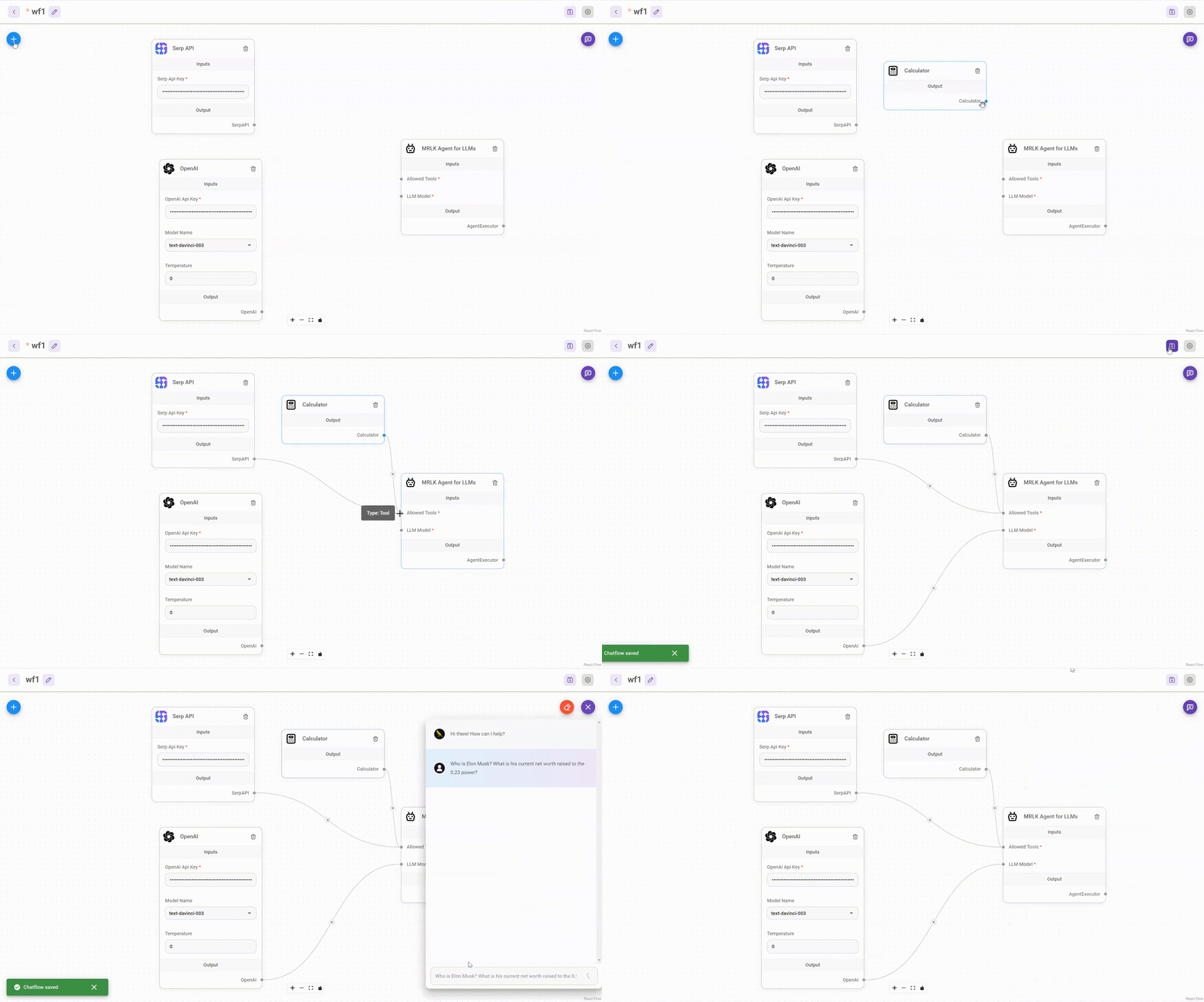
Drag & drop UI to build your customized LLM flow
⚡Quick Start
-
Install Flowise
npm install -g flowise -
Start Flowise
npx flowise start
🔒 Authentication
To enable app level authentication, add FLOWISE_USERNAME and FLOWISE_PASSWORD to the .env file:
FLOWISE_USERNAME=user
FLOWISE_PASSWORD=1234
🌱 Env Variables
Flowise support different environment variables to configure your instance. You can specify the following variables in the .env file inside packages/server folder. Read more
You can also specify the env variables when using npx. For example:
npx flowise start --PORT=3000 --DEBUG=true
📖 Documentation
🌐 Self Host
Railway

Render

AWS
Azure
DigitalOcean
GCP
💻 Cloud Hosted
Coming Soon
🙋 Support
Feel free to ask any questions, raise problems, and request new features in discussion
🙌 Contributing
See contributing guide. Reach out to us at Discord if you have any questions or issues.
📄 License
Source code in this repository is made available under the Apache License Version 2.0.