 Ilango
4fa2672c9d
Ilango
4fa2672c9d
* fix: udpate label to "NVIDIA NIM API Key"

* test: update tag from ":latest" to ":1.8.0-rtx"

* test: add image URL path "nvcr.io/nim/"

* fix/nvidia-nim-2 (#4208)

* fix: update nim-container-manager

* feat: add "DeepSeek R1 Distill Llama 8B"

* fix/nidia-nim-3 (#4209)

* chore: add error message NVIDIA NIM is not installed.

* chore: standardize NVIDIA NGC API Key

* chore: capitalize Nvidia to NVIDIA

* chore: generalize error message for chat models

* fix/nvidia-nim-4-yau (#4212)

* test: nimRelaxMemConstraints and hostPort

* test: add logger for hostPort and nimRelaxMemConstraints

* test: nim-container-manager version 1.0.9

* test: parseInt nimRelaxMemConstraints

* test: update nim-container-manager version to 1.0.10

* chore: update nim-container-manager version to 1.0.11

* Update start container behaviour - show existing containers and give users the choice

* Go back to previous step when clicking start new so user can change port number

* Update condition for showing existing container dialog

* Fix start new in different port not working

* Update get container controller

* Update again

* fix: generalize error message for chat models

* Update getContainer controller

* Fix incorrect image check in getContainer controller

* Update existing container dialog text

* Fix styles in container exists dialog for nvidia nim

---------

Co-authored-by: chungyau97 <chungyau97@gmail.com>
Co-authored-by: Ong Chung Yau <33013947+chungyau97@users.noreply.github.com>

Flowise - Build LLM Apps Easily





English | 繁體中文 | 簡體中文 | 日本語 | 한국어
Drag & drop UI to build your customized LLM flow
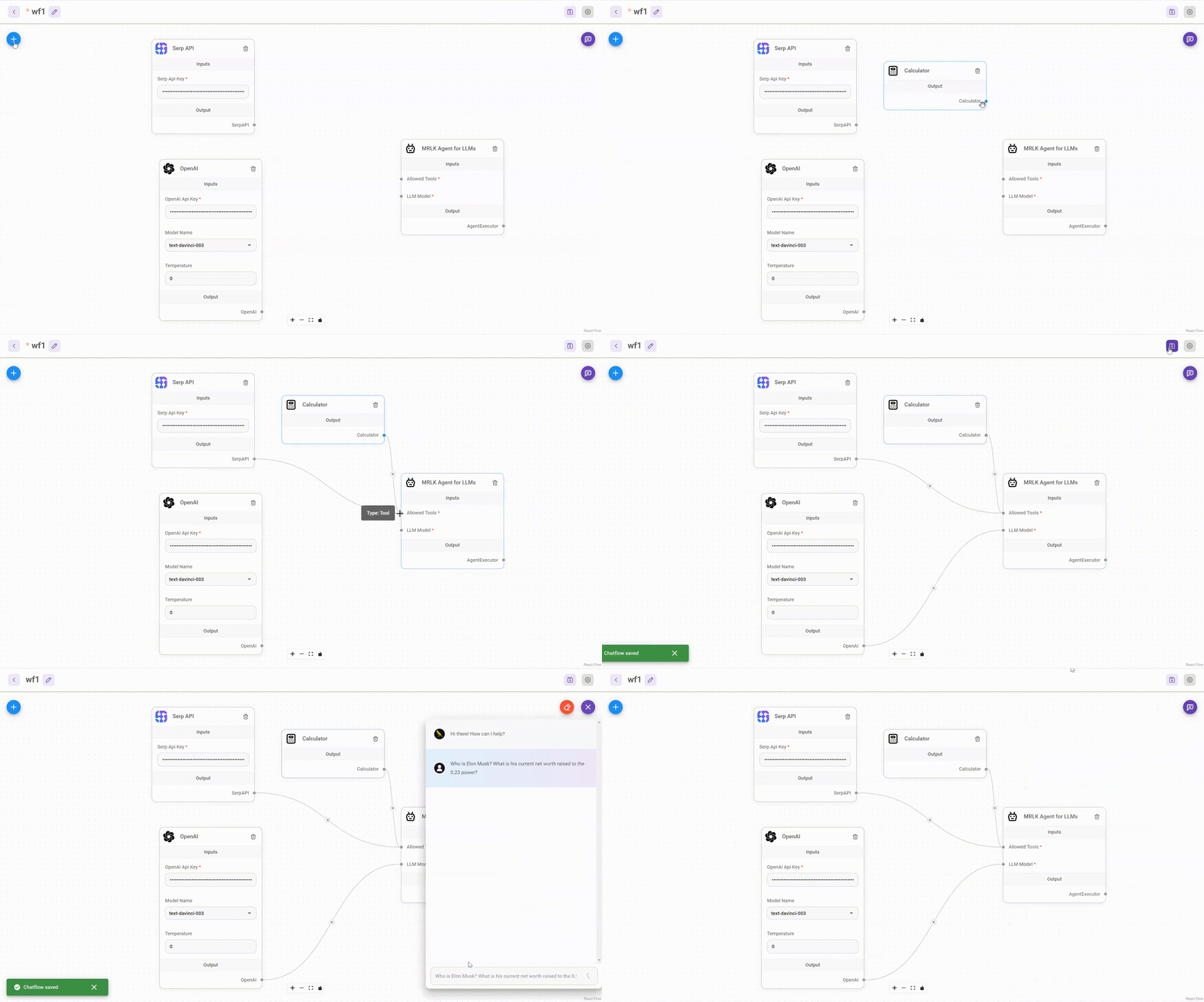
⚡Quick Start
Download and Install NodeJS >= 18.15.0
-
Install Flowise
npm install -g flowise -
Start Flowise
npx flowise startWith username & password
npx flowise start --FLOWISE_USERNAME=user --FLOWISE_PASSWORD=1234
🐳 Docker
Docker Compose
- Clone the Flowise project
- Go to
dockerfolder at the root of the project - Copy
.env.examplefile, paste it into the same location, and rename to.envfile docker compose up -d- Open http://localhost:3000
- You can bring the containers down by
docker compose stop
Docker Image
-
Build the image locally:
docker build --no-cache -t flowise . -
Run image:
docker run -d --name flowise -p 3000:3000 flowise -
Stop image:
docker stop flowise
👨💻 Developers
Flowise has 3 different modules in a single mono repository.
server: Node backend to serve API logicsui: React frontendcomponents: Third-party nodes integrationsapi-documentation: Auto-generated swagger-ui API docs from express
Prerequisite
- Install PNPM
npm i -g pnpm
Setup
-
Clone the repository
git clone https://github.com/FlowiseAI/Flowise.git -
Go into repository folder
cd Flowise -
Install all dependencies of all modules:
pnpm install -
Build all the code:
pnpm buildExit code 134 (JavaScript heap out of memory)
If you get this error when running the above `build` script, try increasing the Node.js heap size and run the script again:export NODE_OPTIONS="--max-old-space-size=4096" pnpm build -
Start the app:
pnpm startYou can now access the app on http://localhost:3000
-
For development build:
-
Create
.envfile and specify theVITE_PORT(refer to.env.example) inpackages/ui -
Create
.envfile and specify thePORT(refer to.env.example) inpackages/server -
Run
pnpm dev
Any code changes will reload the app automatically on http://localhost:8080
-
🔒 Authentication
To enable app level authentication, add FLOWISE_USERNAME and FLOWISE_PASSWORD to the .env file in packages/server:
FLOWISE_USERNAME=user
FLOWISE_PASSWORD=1234
🌱 Env Variables
Flowise support different environment variables to configure your instance. You can specify the following variables in the .env file inside packages/server folder. Read more
📖 Documentation
🌐 Self Host
Deploy Flowise self-hosted in your existing infrastructure, we support various deployments






☁️ Flowise Cloud
Get Started with Flowise Cloud
🙋 Support
Feel free to ask any questions, raise problems, and request new features in discussion
🙌 Contributing
Thanks go to these awesome contributors
See contributing guide. Reach out to us at Discord if you have any questions or issues.
📄 License
Source code in this repository is made available under the Apache License Version 2.0.