mirror of
https://github.com/farcasclaudiu/Flowise.git
synced 2026-06-23 15:00:29 +03:00
 Henry
Henry
93 lines
4.4 KiB
Markdown
93 lines
4.4 KiB
Markdown
<!-- markdownlint-disable MD030 -->
|
|
|
|
# Flowise - Low-Code LLM apps builder
|
|
|
|
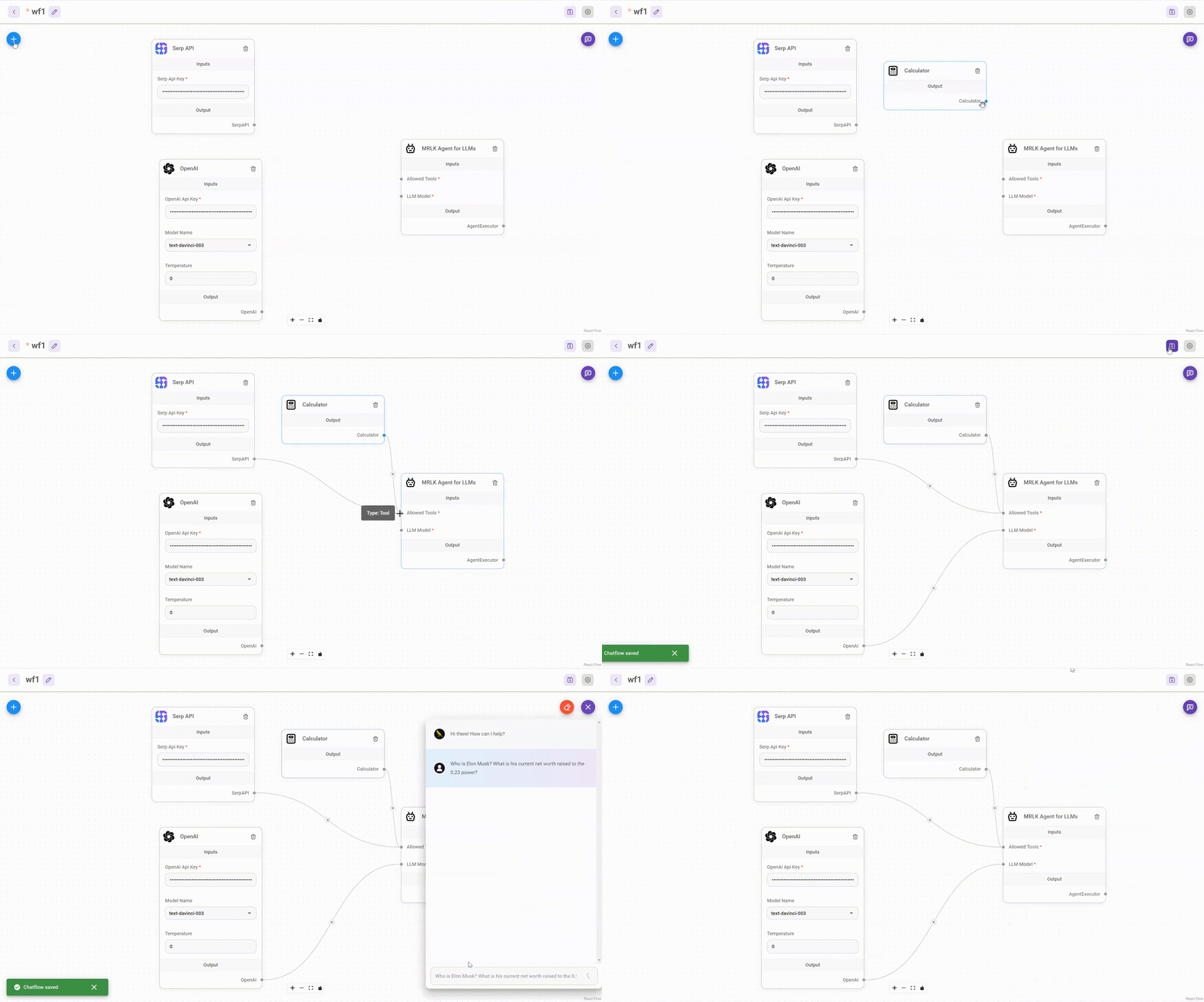
|
|
|
|
Drag & drop UI to build your customized LLM flow
|
|
|
|
## ⚡Quick Start
|
|
|
|
1. Install Flowise
|
|
```bash
|
|
npm install -g flowise
|
|
```
|
|
2. Start Flowise
|
|
|
|
```bash
|
|
npx flowise start
|
|
```
|
|
|
|
3. Open [http://localhost:3000](http://localhost:3000)
|
|
|
|
## 🔒 Authentication
|
|
|
|
To enable app level authentication, add `FLOWISE_USERNAME` and `FLOWISE_PASSWORD` to the `.env` file:
|
|
|
|
```
|
|
FLOWISE_USERNAME=user
|
|
FLOWISE_PASSWORD=1234
|
|
```
|
|
|
|
## 🌱 Env Variables
|
|
|
|
Flowise support different environment variables to configure your instance. You can specify the following variables in the `.env` file inside `packages/server` folder. Read [more](https://docs.flowiseai.com/environment-variables)
|
|
|
|
| Variable | Description | Type | Default |
|
|
| -------------------------- | ---------------------------------------------------------------- | ------------------------------------------------ | ----------------------------------- |
|
|
| PORT | The HTTP port Flowise runs on | Number | 3000 |
|
|
| FLOWISE_USERNAME | Username to login | String |
|
|
| FLOWISE_PASSWORD | Password to login | String |
|
|
| DEBUG | Print logs onto terminal/console | Boolean |
|
|
| LOG_PATH | Location where log files are stored | String | `your-path/Flowise/packages/server` |
|
|
| LOG_LEVEL | Different log levels for loggers to be saved | Enum String: `error`, `info`, `verbose`, `debug` | `info` |
|
|
| DATABASE_PATH | Location where database is saved | String | `your-home-dir/.flowise` |
|
|
| APIKEY_PATH | Location where api keys are saved | String | `your-path/Flowise/packages/server` |
|
|
| EXECUTION_MODE | Whether predictions run in their own process or the main process | Enum String: `child`, `main` | `main` |
|
|
| TOOL_FUNCTION_BUILTIN_DEP | NodeJS built-in modules to be used for Tool Function | String | |
|
|
| TOOL_FUNCTION_EXTERNAL_DEP | External modules to be used for Tool Function | String | |
|
|
|
|
You can also specify the env variables when using `npx`. For example:
|
|
|
|
```
|
|
npx flowise start --PORT=3000 --DEBUG=true
|
|
```
|
|
|
|
## 📖 Documentation
|
|
|
|
[Flowise Docs](https://docs.flowiseai.com/)
|
|
|
|
## 🌐 Self Host
|
|
|
|
### [Railway](https://docs.flowiseai.com/deployment/railway)
|
|
|
|
[](https://railway.app/template/YK7J0v)
|
|
|
|
### [Render](https://docs.flowiseai.com/deployment/render)
|
|
|
|
[](https://docs.flowiseai.com/deployment/render)
|
|
|
|
### [AWS](https://docs.flowiseai.com/deployment/aws)
|
|
|
|
### [Azure](https://docs.flowiseai.com/deployment/azure)
|
|
|
|
### [DigitalOcean](https://docs.flowiseai.com/deployment/digital-ocean)
|
|
|
|
### [GCP](https://docs.flowiseai.com/deployment/gcp)
|
|
|
|
## 💻 Cloud Hosted
|
|
|
|
Coming Soon
|
|
|
|
## 🙋 Support
|
|
|
|
Feel free to ask any questions, raise problems, and request new features in [discussion](https://github.com/FlowiseAI/Flowise/discussions)
|
|
|
|
## 🙌 Contributing
|
|
|
|
See [contributing guide](https://github.com/FlowiseAI/Flowise/blob/master/CONTRIBUTING.md). Reach out to us at [Discord](https://discord.gg/jbaHfsRVBW) if you have any questions or issues.
|
|
|
|
## 📄 License
|
|
|
|
Source code in this repository is made available under the [MIT License](https://github.com/FlowiseAI/Flowise/blob/master/LICENSE.md).
|