mirror of
https://github.com/farcasclaudiu/Flowise.git
synced 2026-06-22 09:01:09 +03:00
 Henry Heng
d9a2c334a0
Henry Heng
d9a2c334a0
* Add interactive swagger-ui auto-generated API docs from express

* Update README.md

* Update index.ts //@ts-ignore

* Fix eslint no-console error

* Add swagger paths

* Add all end  points

* Update swagger.yml

* update swagger yml file

* update swagger config

* update swagger response indentation

* update api-docs README

* update README

---------

Co-authored-by: Octavian FlowiseAI <154992625+ocflowiseai@users.noreply.github.com>
3.3 KiB
3.3 KiB
Flowise - 低代码 LLM 应用程序构建器
English | 中文
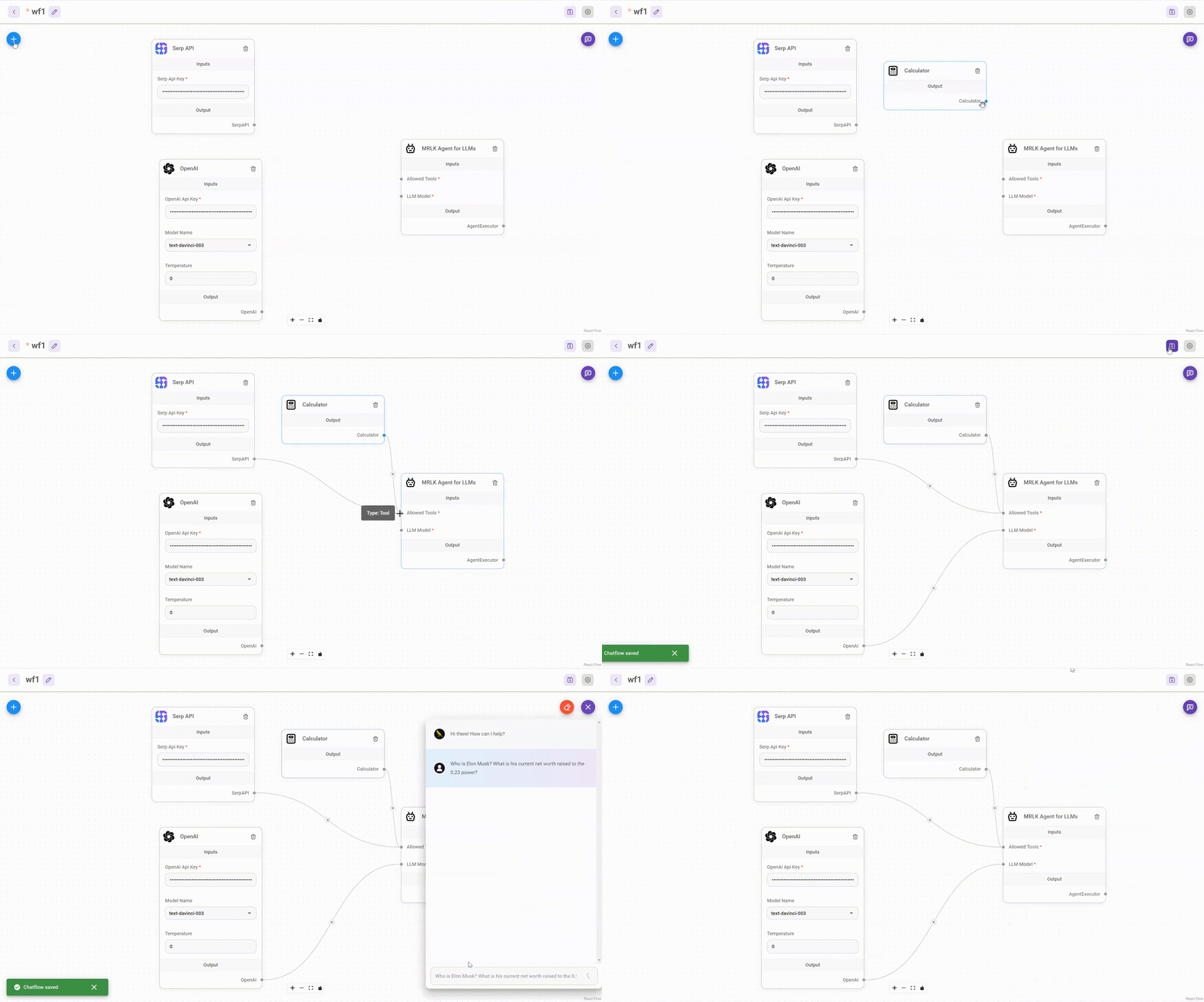
拖放界面来构建自定义的 LLM 流程
⚡ 快速入门
-
安装 Flowise
npm install -g flowise -
启动 Flowise
npx flowise start
🔒 身份验证
要启用应用级身份验证,请将FLOWISE_USERNAME和FLOWISE_PASSWORD添加到.env文件中:
FLOWISE_USERNAME=user
FLOWISE_PASSWORD=1234
🌱 环境变量
Flowise 支持不同的环境变量来配置您的实例。您可以在packages/server文件夹中的.env文件中指定以下变量。阅读更多
您还可以在使用npx时指定环境变量。例如:
npx flowise start --PORT=3000 --DEBUG=true
📖 文档
🌐 自托管
在您现有的基础设施中部署自托管的 Flowise,我们支持各种部署






☁️ 云托管
🙋 支持
在讨论区中随时提出任何问题、报告问题和请求新功能。
🙌 贡献
请参阅贡献指南。如果您有任何问题或问题,请在Discord上与我们联系。
📄 许可证
本仓库中的源代码在Apache License Version 2.0 许可证下提供。